Learn Android Development from scratch by building 10 beginner Flutter apps step by step — master fundamentals, UI, state, and logic through real projects.
Based on early student feedback
Learners (2,100+)
Beginner-friendly · Project-based · No boring theory
What You’ll Learn
In this course, you’ll learn Android App Development with Flutter by building 10 beginner-friendly apps that cover the most important fundamentals step by step. The focus is on understanding how Flutter works, not just copying code, so you can build apps with confidence.
You’ll learn how to:
- Build Flutter apps from scratch with clear structure
- Understand widgets, layouts, and UI composition
- Manage basic state and user interactions
- Work with lists, forms, and simple app logic
- Think like a Flutter developer while building real projects
By the end of this course, you’ll have built 10 complete beginner apps and gained a strong foundation to move forward with more advanced Flutter projects.
What apps are included
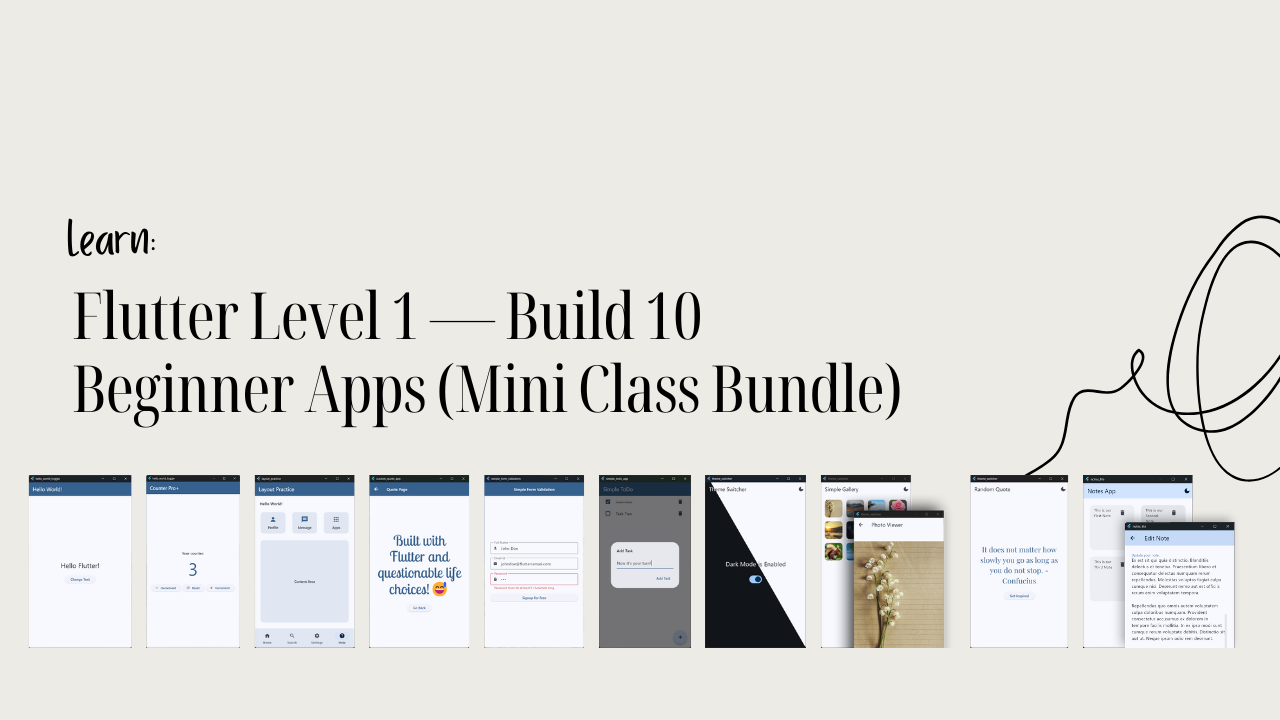
In Flutter Level 1, you won’t just watch lessons — you’ll build 10 complete beginner Android apps that cover the most important Flutter fundamentals through hands-on practice.
This class includes:
- Hello World Toggle App
- Counter Pro+ App
- Layout Practice App
- Custom Quote App
- Simple Form Validation App
- Simple To-Do App
- Theme Switcher App
- Simple Gallery App (with Hero animations)
- Random Quote Generator App
- Notes App
Each app is designed to introduce one or more core Flutter concepts in a clear and beginner-friendly way, so you build confidence steadily without feeling overwhelmed.
This course includes
Flutter Level 1 is designed to give you everything you need to start your Flutter journey with confidence, without overwhelm or unnecessary complexity.
This class includes:
- 10 complete beginner-friendly Flutter apps
- Step-by-step project-based lessons
- Clear explanations of Flutter fundamentals
- Hands-on practice with UI, state, and logic
- Downloadable project files for reference
- Lifetime access to the course
By the end of this course, you’ll have a strong foundation in Flutter and the confidence to move on to more advanced projects and learning paths.
Course Content
Flutter Level 1 is structured to guide you step by step through the fundamentals of Flutter by building 10 beginner apps. Each section focuses on a specific concept and builds naturally on what you’ve already learned, so progress feels steady and clear.
By the end of this course, you’ll have a clear understanding of Flutter fundamentals and a collection of real beginner apps that prepare you for the next level of Flutter development.
Requirements
Flutter Level 1 is beginner-friendly and designed for learners who are starting their Flutter journey or want to build stronger fundamentals through hands-on projects.
Requirements for this course:
- Basic understanding of programming concepts
- Flutter SDK installed on your system
- A code editor like VS Code or Android Studio
- Willingness to learn by building real apps
You don’t need prior Flutter experience — this course is built to guide you step by step from the basics to building complete beginner apps with confidence.
Description
Flutter Level 1 is designed for anyone who wants to learn Android Development with Flutter the right way — by building real apps and understanding how things work, not just copying code. Instead of overwhelming you with theory, this course focuses on clear fundamentals through hands-on, beginner-friendly projects.
In this course, you’ll build 10 complete Android Apps with Flutter, each carefully chosen to teach a core concept such as widgets, layouts, state, user interaction, forms, and basic app logic. Every app builds on the previous one, so your understanding grows naturally and confidently as you progress.
If you’re new to Android Development in Flutter or feel unsure about your foundations, Flutter Level 1 gives you a clear and structured starting point. By the end of the course, you’ll not only have 10 working apps, but also the clarity and confidence to continue learning Flutter and move on to more advanced projects.
Who This Course Is For
Flutter Level 1 is designed for learners who want a clear, structured, and practical introduction to Flutter without feeling overwhelmed or lost.
This course is for:
- Beginners starting their Flutter journey
- Developers who feel unsure about Flutter fundamentals
- Learners who prefer building real apps instead of watching theory
- Anyone who wants a strong foundation before moving to advanced topics
If you want to learn Flutter step by step and build confidence by completing real projects, this course gives you a solid and supportive starting point.
FAQ
If you’re wondering whether Flutter Level 1 is the right place for you to start, these answers should help you decide with confidence.
If you’re looking for a clear, beginner-safe way to learn Flutter by building real apps, Flutter Level 1 is designed to give you exactly that foundation.
Learn Flutter by Building Real Android Apps
Build 10 beginner-friendly Android apps in Flutter through a clear, step-by-step learning path. This bundle will help you practice real app development while building confidence with every project.